
You can’t go back in time and fix it on set — but with FluxCapacitor, we can travel through time together.
Timecode reconciliation for multi-camera shoots. Line up timecode across every camera on your shoot — even when they were never jam-synced, or were rolling at different frame rates. Point it at the one sync point you know and it works out where everything else should be.
Free · iPhone & iPad · No account, no tracking, works offline
The problem
Two cameras roll all day. Nobody jam-synced them. One is at 23.976, the other at 29.97 drop-frame. In the edit you have a sync point — one clap, one moment you can identify in both — and now you need to know what every other camera read at that instant.
Doing that by hand means juggling drop-frame counting, NTSC pulldown, and arithmetic that punishes a single slip. FluxCapacitor does it instantly, for as many cameras as you’ve got.
What it does
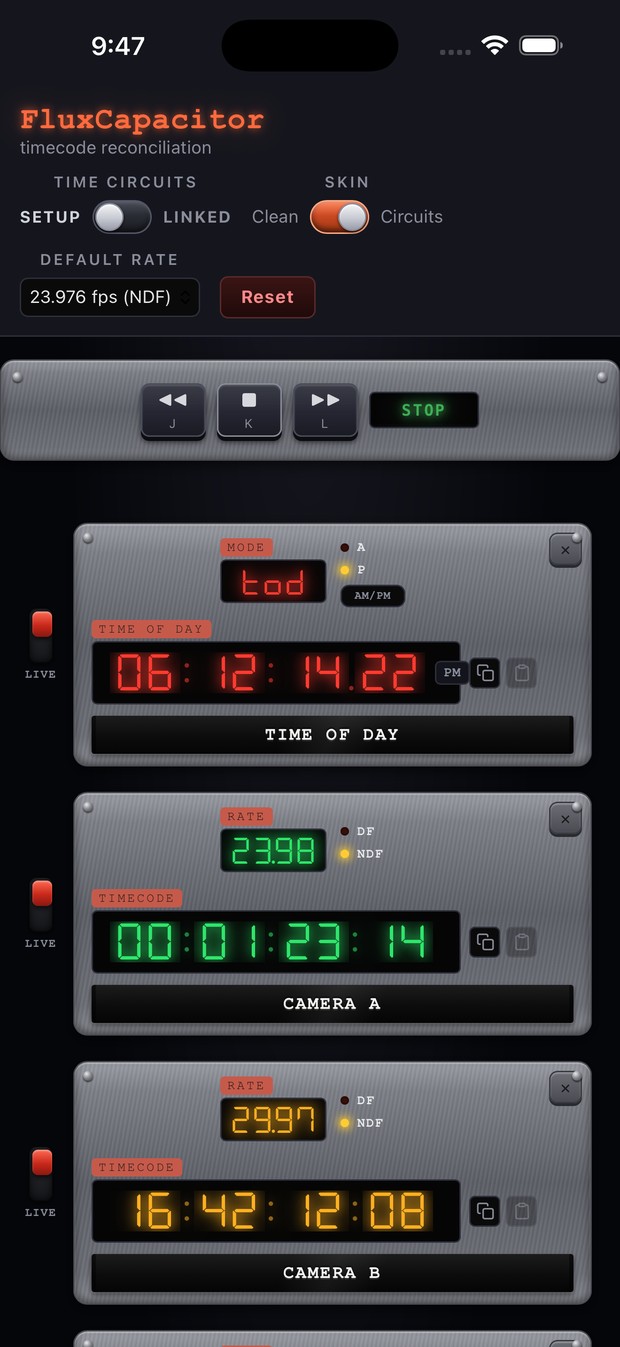
- Reconcile any number of cameras. Enter a known timecode on one camera and every other row recalculates to match that moment.
- Mixed frame rates, side by side. Each camera keeps its own rate. Convert between 23.976 and 29.97 DF without thinking about it.
- Drop-frame done right. Drop-frame and non-drop-frame counting are handled properly, including the minute-rollover rules that trip up manual math.
- SETUP and LINKED modes. SETUP lets you key in each camera independently. Flip to LINKED and every edit recalculates the whole set together.
- J / K / L transport. Run every timecode live, forward or reverse, at up to 8× — the same keys you already use in your NLE.
- HOLD any single camera. Flip one camera’s rocker to HOLD to re-sync it by hand without disturbing the rest, then drop it back in.
- Time of Day reference clock. Turn any row into a wall-clock reference in 12- or 24-hour form.
- Copy and paste between rows. Move a timecode from one camera to another in a tap, validated on the way in.
- Two looks. A clean modern panel for getting work done, or a retro time-circuits display if you’d rather enjoy yourself.
A look under the hood
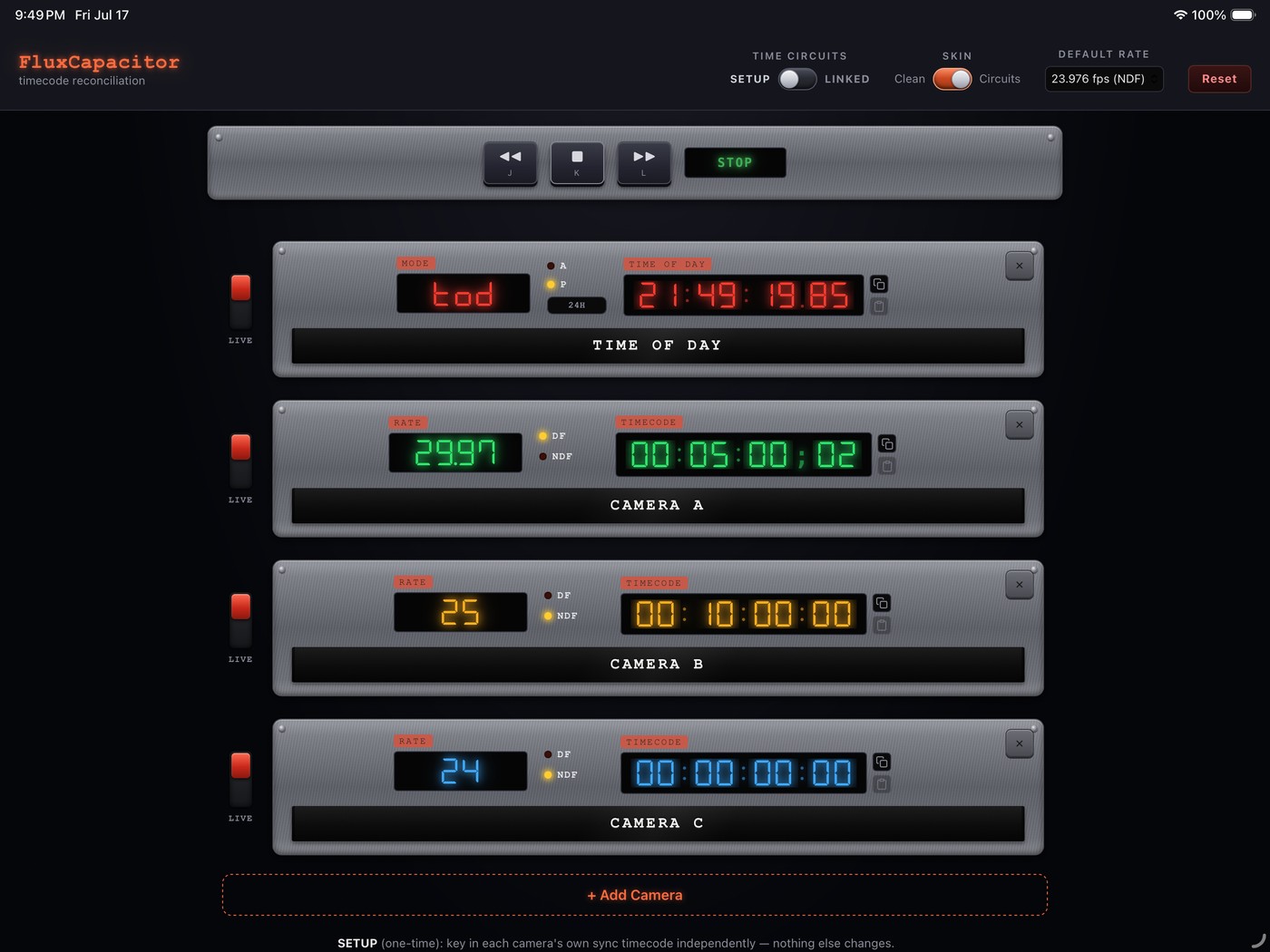
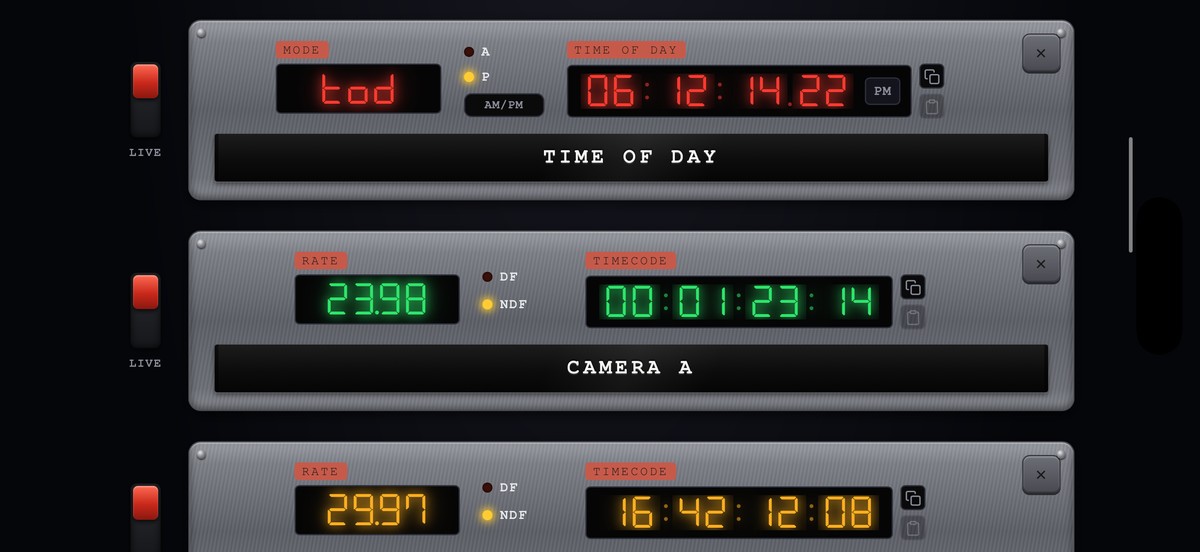
Every row is a camera: its frame rate, its drop-frame state, its own LIVE/HOLD rocker, and its timecode. Change one and the rest follow.
Or turn the theatrics off
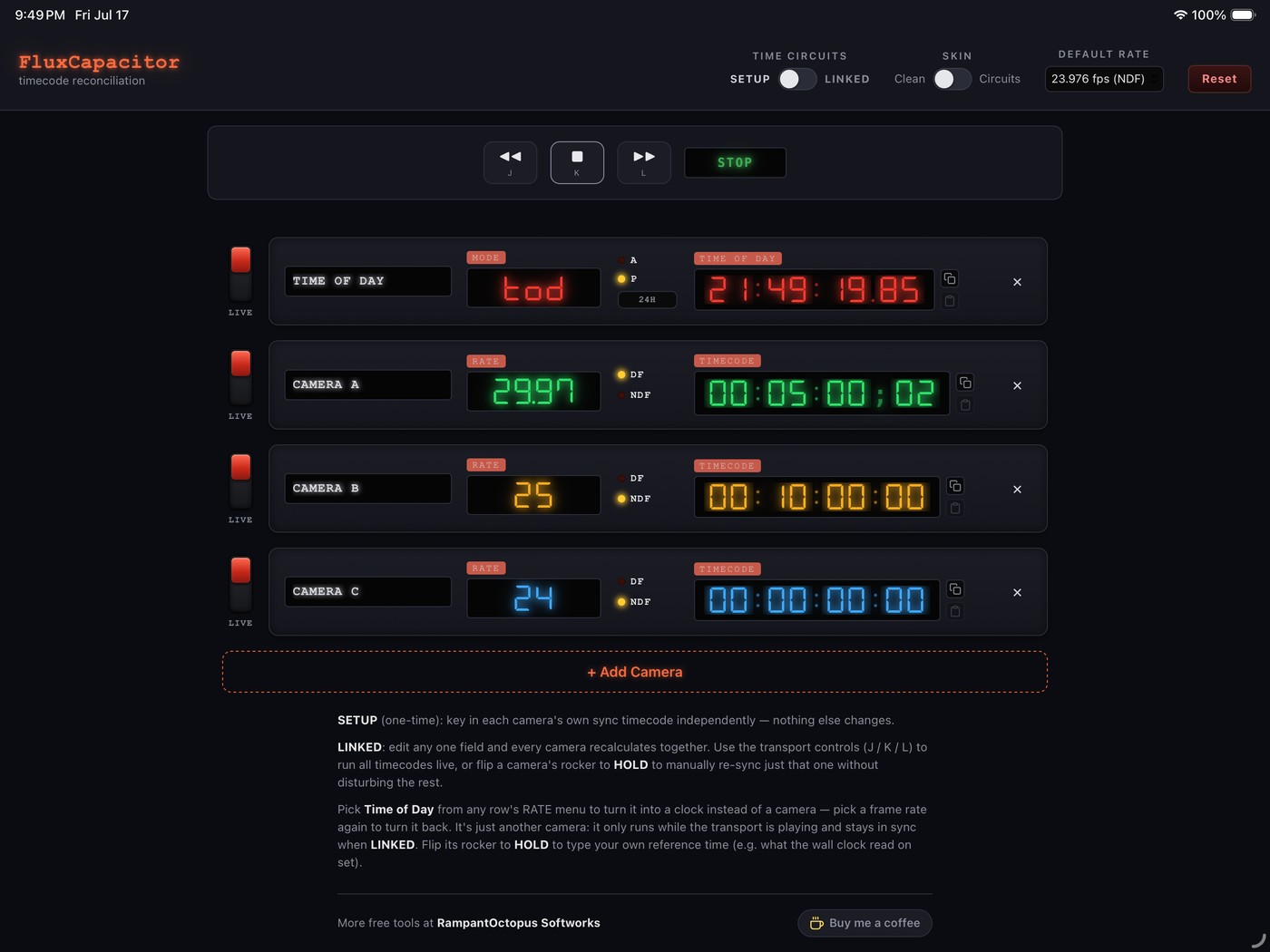
The Clean skin runs the identical engine in a quieter shell — no bezels, no lamps, no brushed metal. Useful when you’re working fast and would rather the tool got out of the way. Switch between the two at any time; it’s a single toggle in the header and it remembers your choice.
Frame rates
Every common rate is built in: 23.976 NDF, 24, 25 (PAL), 29.97 NDF, 29.97 DF, 30, 50, 59.94 NDF, 59.94 DF, 60, 119.88 NDF, and 120 — plus custom rates.
Custom rates let you set any nominal frame rate, toggle NTSC pulldown (÷1.001) independently of drop-frame counting, and mark it drop-frame where that’s valid — because those are two different things, and plenty of tools conflate them.
It doesn’t phone home
No accounts. No tracking. No network.
Every calculation happens on your device. FluxCapacitor collects nothing, uploads nothing, and works identically on a location with no signal as it does at your desk. Read the privacy policy — it’s short.
FluxCapacitor is free. If it saves you an afternoon, you’re welcome to buy me a coffee.